
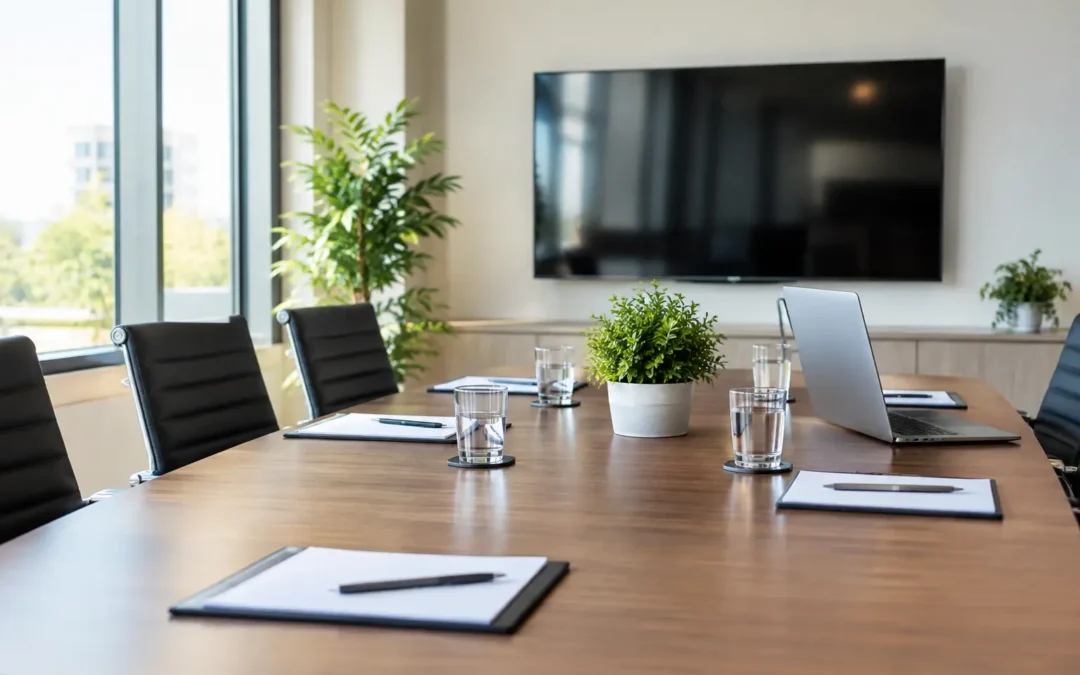
A client begins forming an opinion before the presentation starts. The room, the welcome, the technology setup, and the absence of avoidable distractions all signal how your business operates. When you prepare a meeting room for a client presentation, the goal is not elaborate staging. It is to create a setting where your client can focus on the conversation and feel confident in your organization.
For independent professionals, growing companies, and remote teams, that standard matters even more. A polished meeting environment can reinforce the credibility of a business that does not maintain a large permanent office. The right preparation makes an occasional client meeting feel intentional, organized, and fully business-ready.
Start With the Purpose of the Meeting
Room preparation should reflect the type of conversation you are having. A formal proposal presentation requires clear sightlines to a display, enough table space for materials, and a seating arrangement that supports discussion. A strategy session may work better with a more collaborative layout, a whiteboard, and room for participants to spread out.
Consider who will attend, how long the meeting will last, and what decision you want to reach. A one-on-one consultation has different requirements than a six-person review with multiple stakeholders. If a client will join remotely, the room also needs to support both in-person and virtual participants without making either group feel secondary.
Confirm the expected attendance before selecting the room. A space that is too large can make a small meeting feel impersonal, while a crowded room can create discomfort and limit the ability to use presentation materials effectively. Choose a room that fits the group with enough space to move, take notes, and set down beverages or documents.
Prepare the Meeting Room for a Client Presentation
A reliable process prevents small operational issues from becoming visible during an important discussion. Complete the room setup early enough to correct any problem without rushing. For a high-stakes presentation, aim to arrive at least 20 to 30 minutes before the client.
Check the Technology Before Anyone Arrives
Do not assume a screen, display cable, Wi-Fi connection, or video conferencing platform will work as expected. Open your presentation on the device you will use. Test the connection to the monitor or projector, verify that sound is clear if video is involved, and make sure the correct input is selected.
If remote attendees are joining, test the camera angle, microphone, speaker volume, and meeting link. Place the camera where remote participants can see the presenter and the people speaking at the table. Avoid relying only on a laptop microphone in a larger room, since it can make remote attendees strain to follow the discussion.
Keep a practical backup available. Save the presentation in more than one location, such as your laptop and a secure cloud folder. Bring the appropriate adapters, charging cable, and, when possible, a printed version of key materials. A backup does not replace testing, but it gives you options if a device or connection fails.
Set the Seating With Intention
Seating influences the tone of the meeting. For a client presentation, place your client where they have an unobstructed view of the screen or display. Avoid making them sit with their back to the presentation or in a position that requires turning throughout the conversation.
A conference table works well when documents, laptops, and note-taking are part of the meeting. For a more conversational discussion, a smaller table or roundtable arrangement can reduce the sense of distance. If several people from your team are attending, avoid filling one side of the table while leaving the client isolated on the other. A balanced arrangement feels more collaborative.
Reserve a clear place for your materials rather than spreading papers across the table. Bring only what you expect to use. Too many folders, devices, and handouts can make a prepared presentation look disorganized.
Review the Room From the Client’s Perspective
Sit in the client’s seat for a moment. Can you see the screen? Is the room too warm, too cold, overly bright, or too dim? Is there clutter in view, a previous meeting’s notes on the whiteboard, or loose cables near the table?
Clear the space completely. Remove used coffee cups, discarded papers, extra chairs, and materials left by prior users. Erase whiteboards unless prewritten notes are directly relevant to the meeting. If you do use a whiteboard, write clearly and keep the information limited to topics that support the discussion.
Lighting deserves a quick check. Natural light can create a pleasant setting, but direct sunlight on a screen may make a presentation difficult to see. Adjust blinds or shades as needed. Make sure the room is bright enough for note-taking without washing out the display.
Create a Professional Arrival Experience
The meeting room is only one part of the client experience. A client should know where to go, who to ask for, and what to expect when they arrive. Send the meeting location, suite or floor details, parking guidance, and your phone number before the appointment. If building access or visitor procedures apply, explain them in simple terms.
Arrive before your guest and be ready to greet them. If you are using a shared workspace or meeting facility, confirm that reception has the client’s name, your name, and the expected arrival time. A smooth check-in is a practical sign that you value the client’s time.
Offer water, coffee, or another appropriate refreshment if the meeting is expected to run longer than a brief introduction. This does not need to be elaborate. The point is to make the room feel considered and comfortable, not to turn a business meeting into an event.
Keep personal items out of sight. A phone on the table, an open bag, or a stack of unrelated work can distract from your message. Set your phone to silent, close unrelated browser tabs, and ask internal attendees to do the same. Attention is part of professionalism.
Prepare Materials That Support the Conversation
The best client presentations are not read aloud from slides. They give the client a clear framework for understanding the problem, your recommendation, the expected result, and the next step. Your meeting materials should make that conversation easier.
Bring printed copies when the audience is likely to reference numbers, contracts, diagrams, or detailed timelines. Print enough copies for all attendees, plus one or two extras. Use clean, current documents and check that names, dates, pricing, and company details are accurate.
If you plan to leave a proposal behind, separate it from your presentation notes. Your notes can be detailed and informal. Client-facing documents should be easy to review after the meeting, with clear contact information and an obvious next action.
Be selective with handouts. Giving clients everything at the beginning can encourage them to read ahead instead of engaging with the presentation. For complex proposals, it may be better to present first and provide supporting documents at the point they become relevant or at the close of the meeting.
Manage Timing Without Making the Meeting Feel Rushed
A well-prepared room helps the meeting start on time, but the agenda also needs structure. Open with a short statement of purpose and confirm the time available. This sets expectations without sounding rigid.
Build in room for questions. Clients often need to discuss priorities, risks, budget constraints, or internal approval processes before they are ready to respond to a recommendation. A presentation that runs right up to the end of the reserved time leaves no space for the conversation that may actually move the opportunity forward.
For meeting rooms booked by the hour, allow a buffer before and after the appointment. Arriving early protects your setup time. Reserving a few additional minutes after the discussion prevents an abrupt exit and gives you time to collect materials without delaying the next user.
Use the Right Environment for the Impression You Need
Meeting in a coffee shop or over video may be appropriate for an informal update. For a proposal, client onboarding session, financial discussion, legal consultation, or partnership meeting, a dedicated professional setting often provides more privacy and credibility.
A well-equipped meeting room gives you a business address, reception support, conference technology, and a focused setting without requiring a long-term office lease. For Jacksonville professionals who need that capability as needed, Executive Suite Professionals offers meeting space designed to support client-facing work.
The final check is simple: walk into the room as if you were the client. If the space makes it easy to arrive, sit down, see the information, ask questions, and leave with confidence, it is ready for the conversation that matters.